Find it.
Work with it.
Find managed documents by text, type, color label, or molecular weight. Open a result, calculate its properties, and export the original, a depiction, or a compatible chemistry format.
 AtomLens 3.1
AVAILABLE NOW
Explore molecules, work with reactions, and uncover chemistry in scientific documents. AtomLens 3.1 connects your native Mac and iPad workspace to Shortcuts, so your library can become part of a repeatable workflow.
Available now for Mac and iPad. Explore what’s new in 3.1 ↓
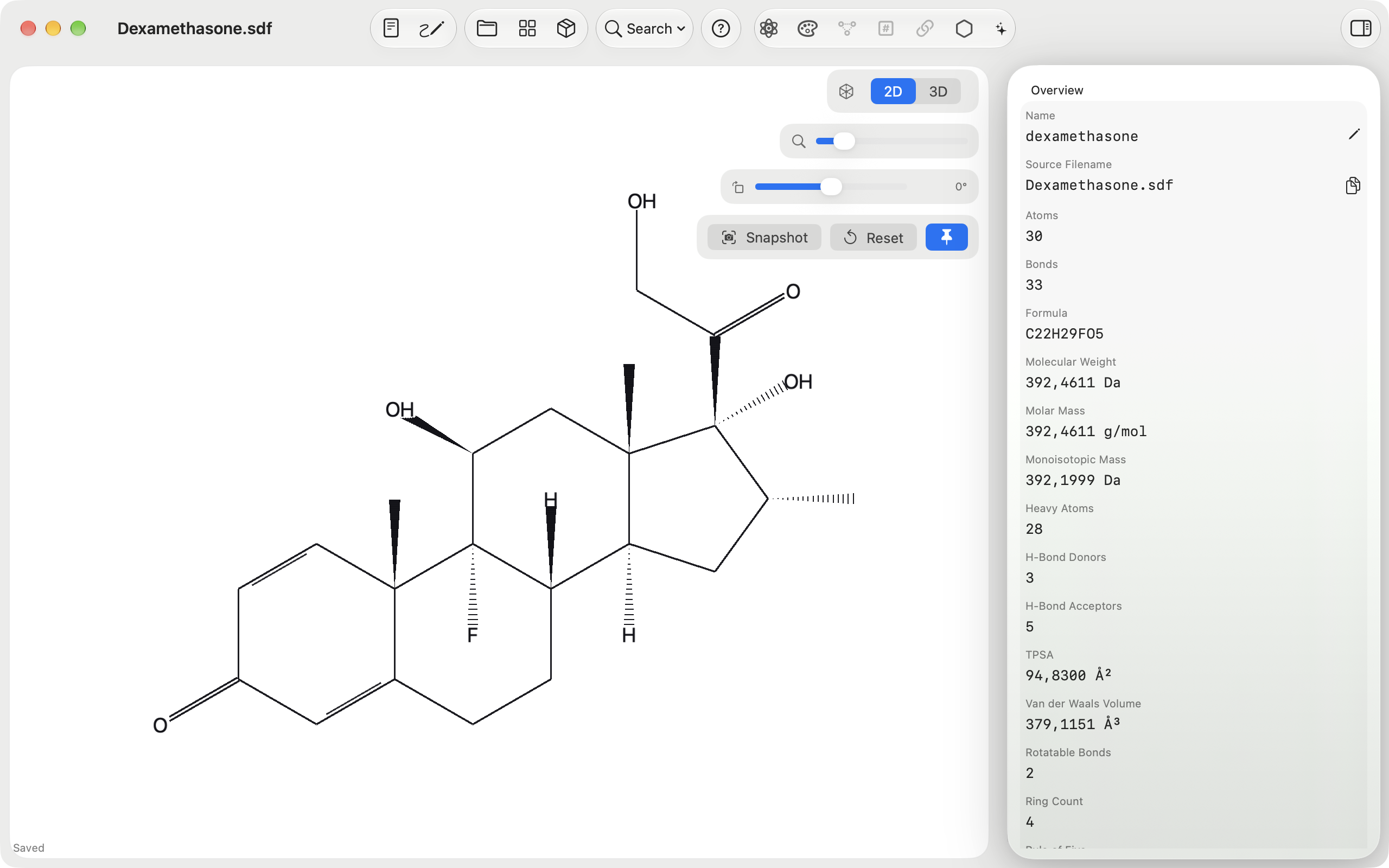
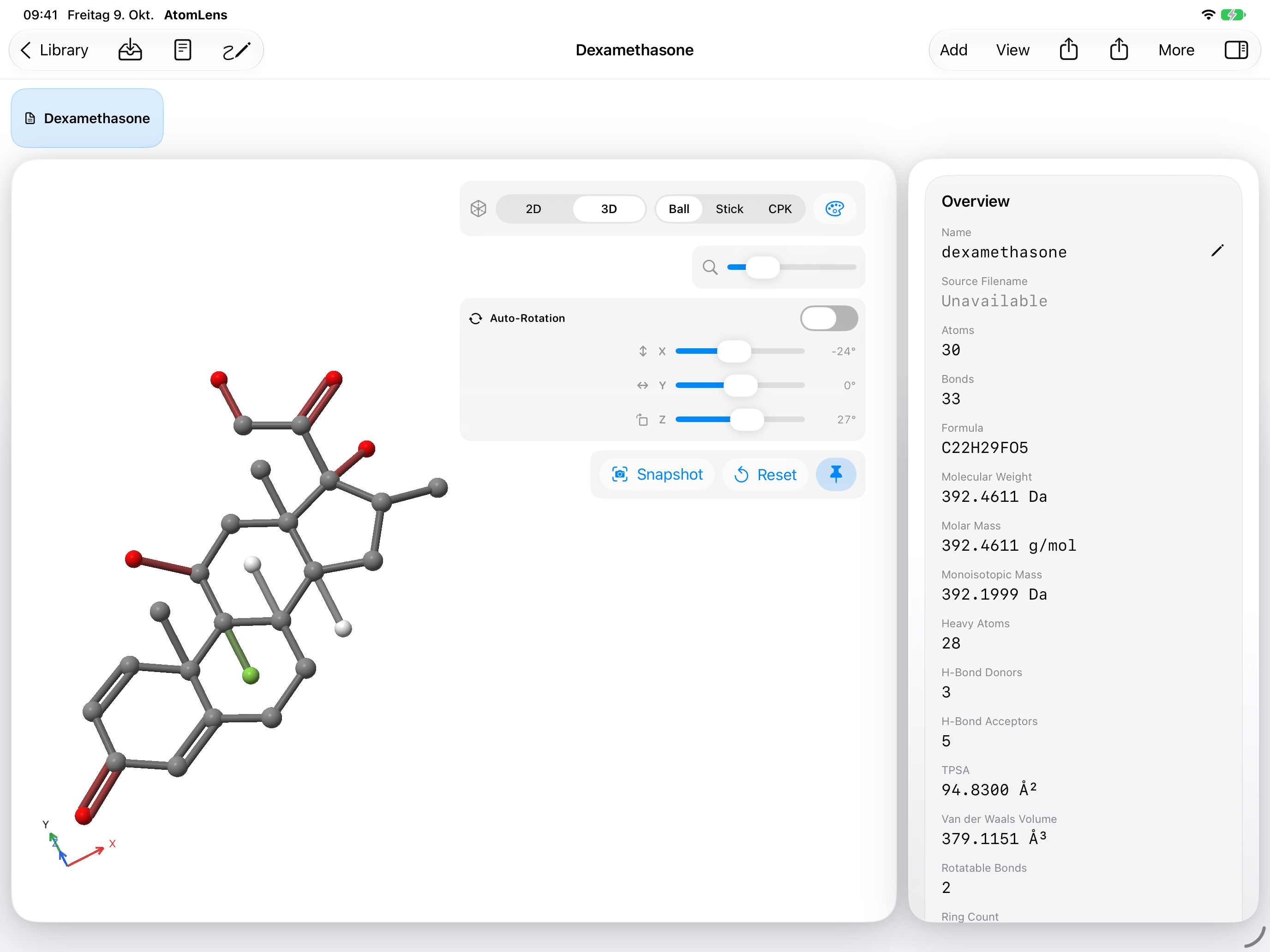
Native views from AtomLens 3.0, captured October 9, 2026.
NEW IN ATOMLENS 3.1
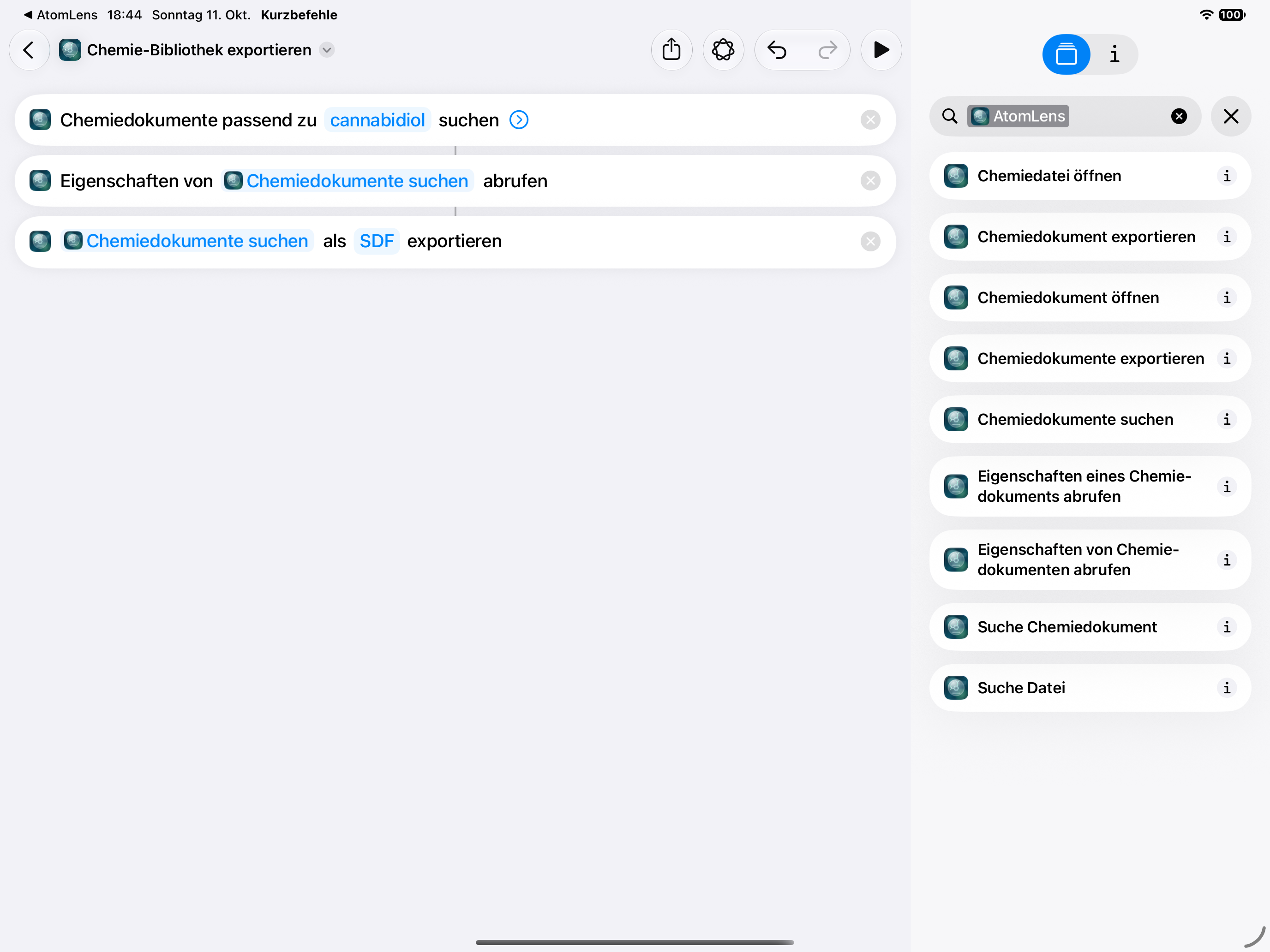
Connect the library you’ve built to the tasks you repeat. Version 3.1 brings saved chemistry documents into Shortcuts on Mac and iPad.
Find managed documents by text, type, color label, or molecular weight. Open a result, calculate its properties, and export the original, a depiction, or a compatible chemistry format.
On macOS and iPadOS 27, calculate properties or export a selection in one action, with progress and cancellation for long operations. Saved-document references follow renames.
Improved large-library memory handling and iCloud retry messages, corrected sulfur oxo chemistry in InChI and RInChI, and richer local diagnostic reports help keep work moving.
Requires macOS 26 or later on Apple silicon, or iPadOS 26 or later. Batch actions and enhanced system document integration require OS 27.
Build your first chemistry shortcutTHE CHEMISTRY WORKSPACE
Follow a chemical name into a structure. Follow a structure into a collection. Keep the context with you as you work.
Scan PDFs for chemical names and printed molecular structures. Review findings alongside highlighted source locations, preview recognized structures, and bring confirmed results into your library.
Recognition runs on your device. Results are yours to review before you use them.
Enter an IUPAC name and convert supported names into molecular structures directly on your Mac or iPad. Move from nomenclature to visual exploration without leaving your workspace.
Inspect molecules in interactive 2D and 3D views. Explore reaction participants, examine molecular properties and identifiers, and adjust visualization styles to bring important details into focus.
Create and modify molecular structures and reactions with the integrated chemical drawing editor. Work directly with chemical notation in a dedicated source editor when you need finer control.
Organize molecules and reactions with tags and favorites. Search by keywords, explore structural similarity, and find substructure matches. Keep your repository local or choose optional iCloud synchronization.
Open the formats you already work with. Extract individual structures from larger collections, generate identifiers, and share depictions as SVG, PNG, or PDF.
THE WORKSPACE, UP CLOSE
Explore the workspace on Mac and iPad. Library, reaction, and Shortcuts views were captured in 3.1; other views retain their original 3.0 captures. Select a screenshot for the native image.
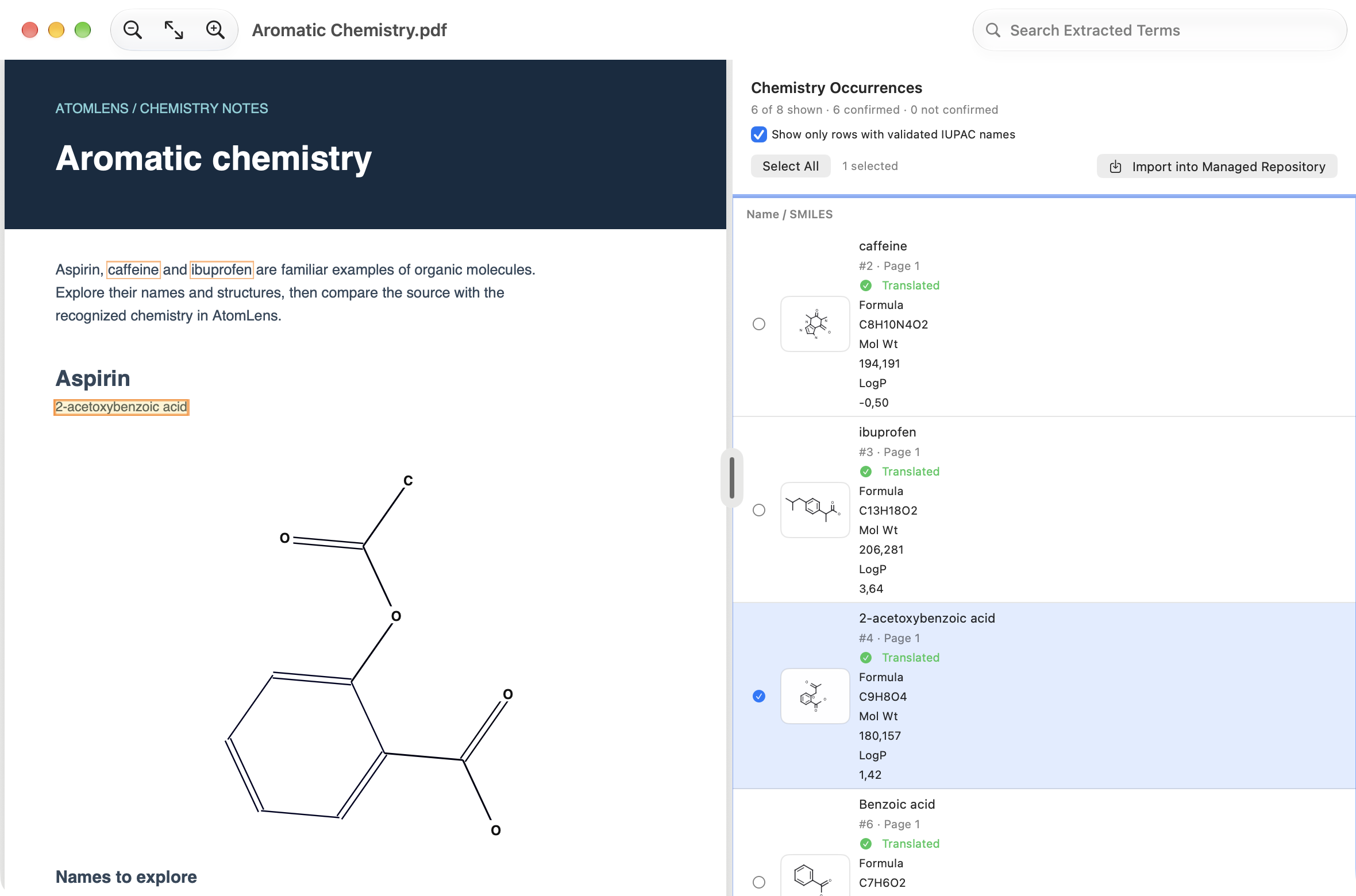
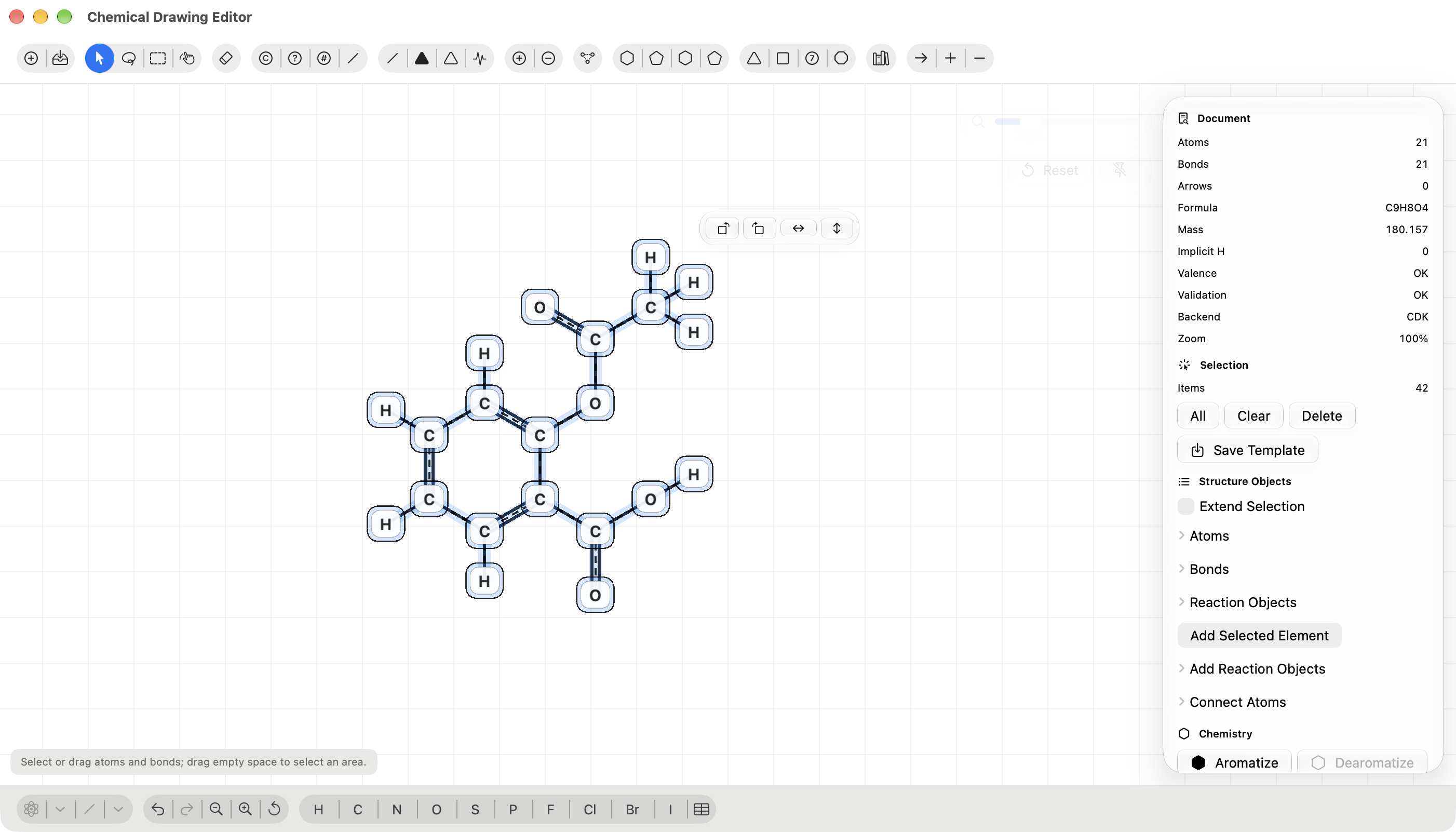
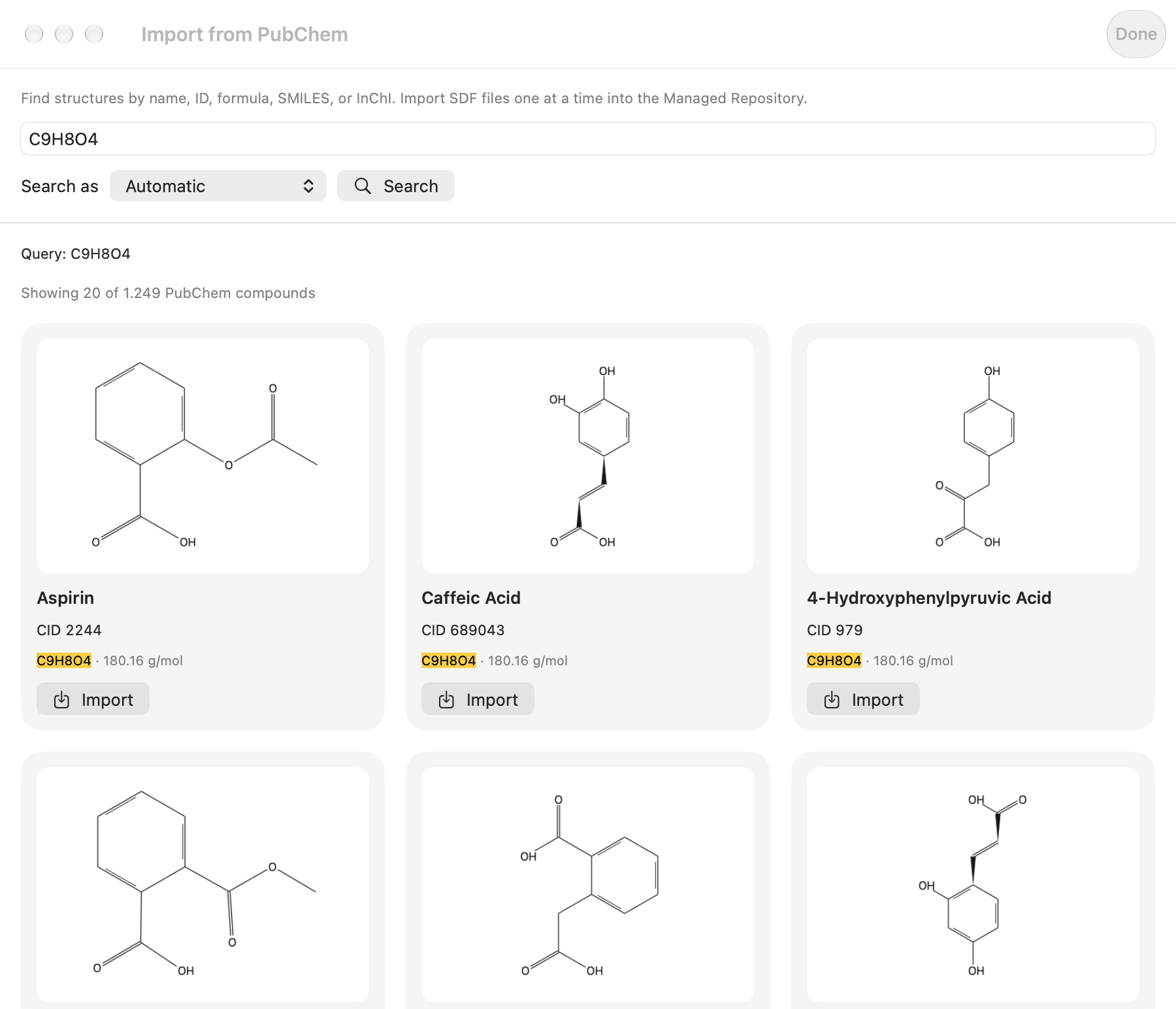
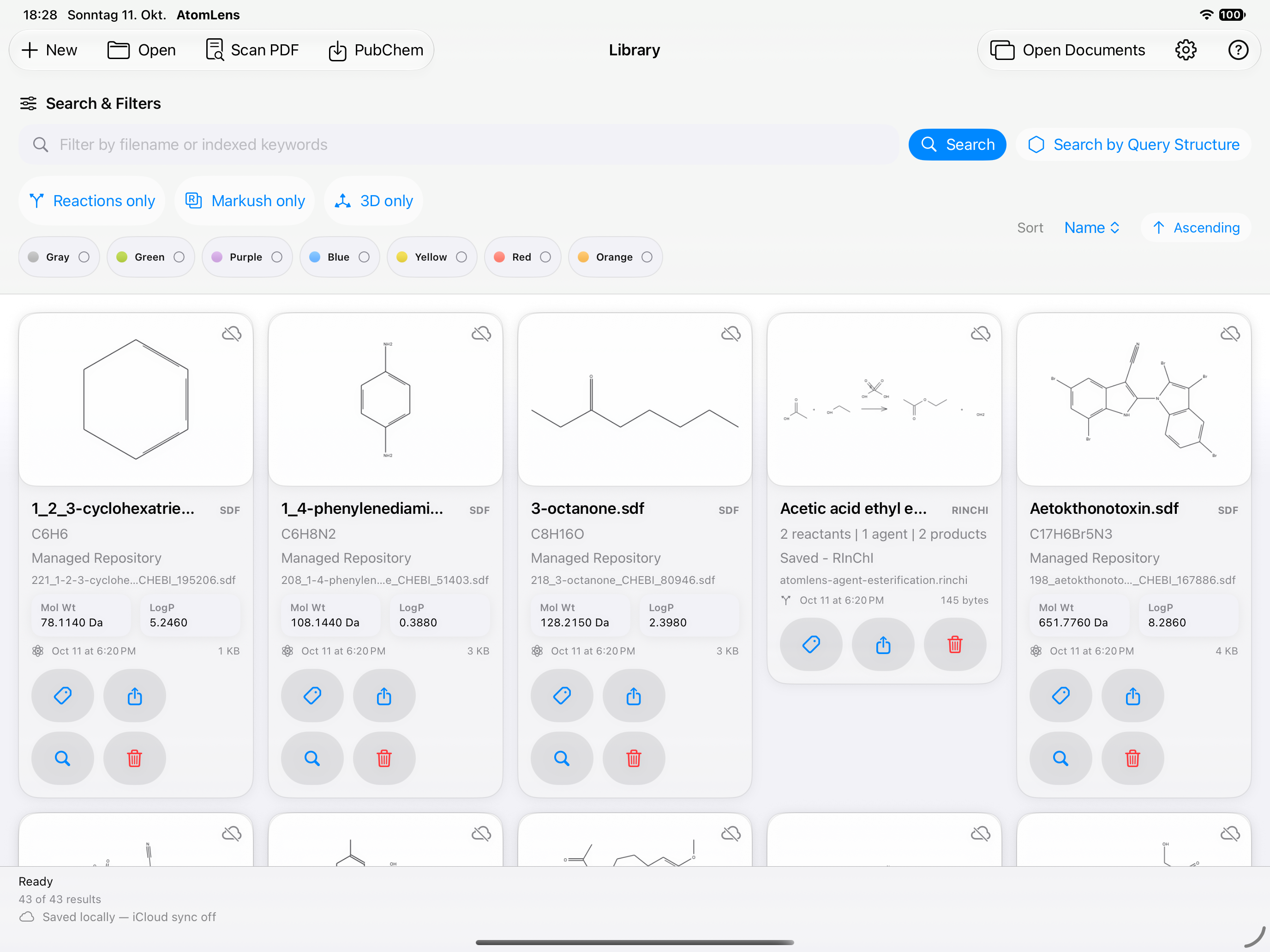
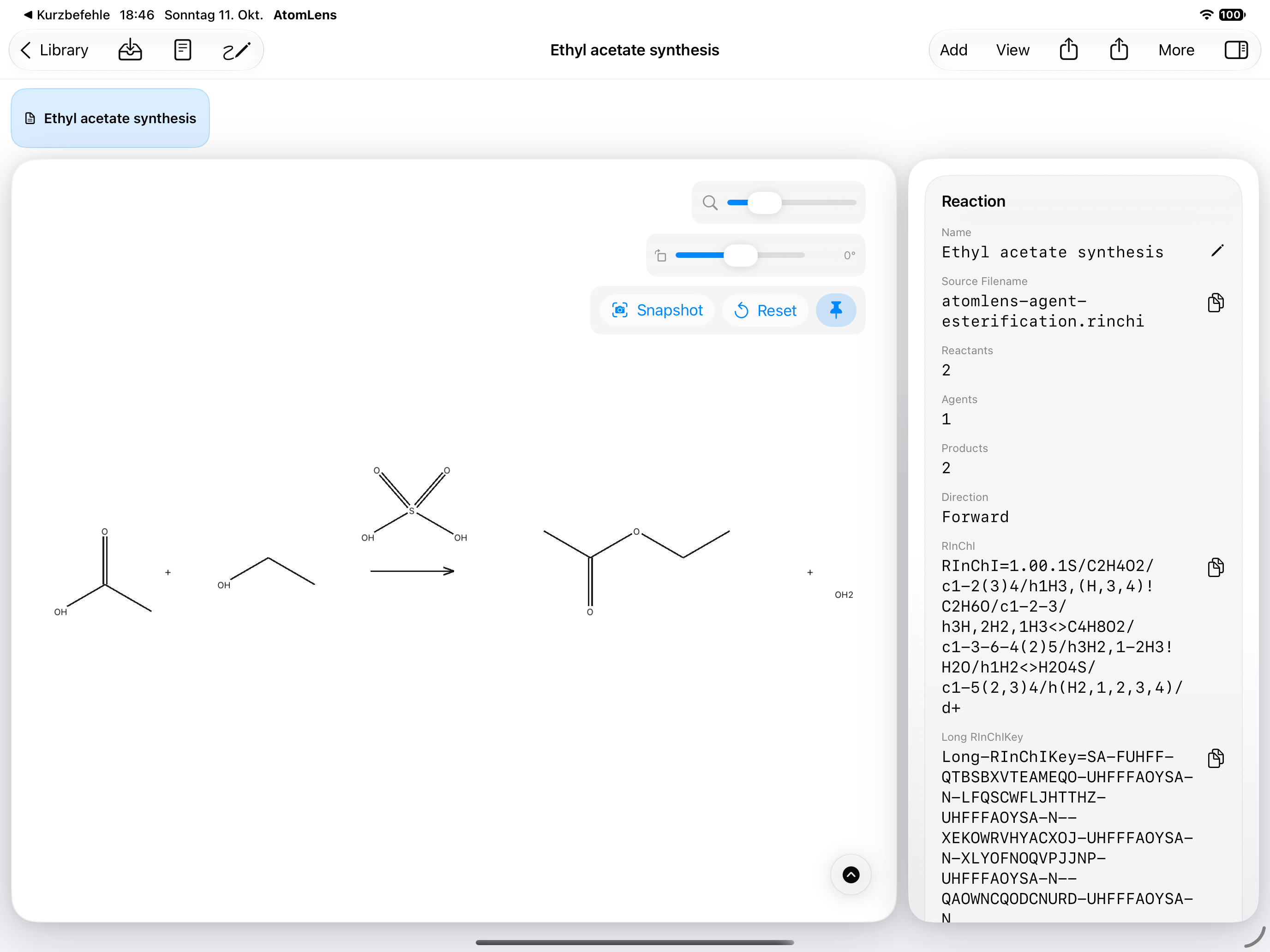
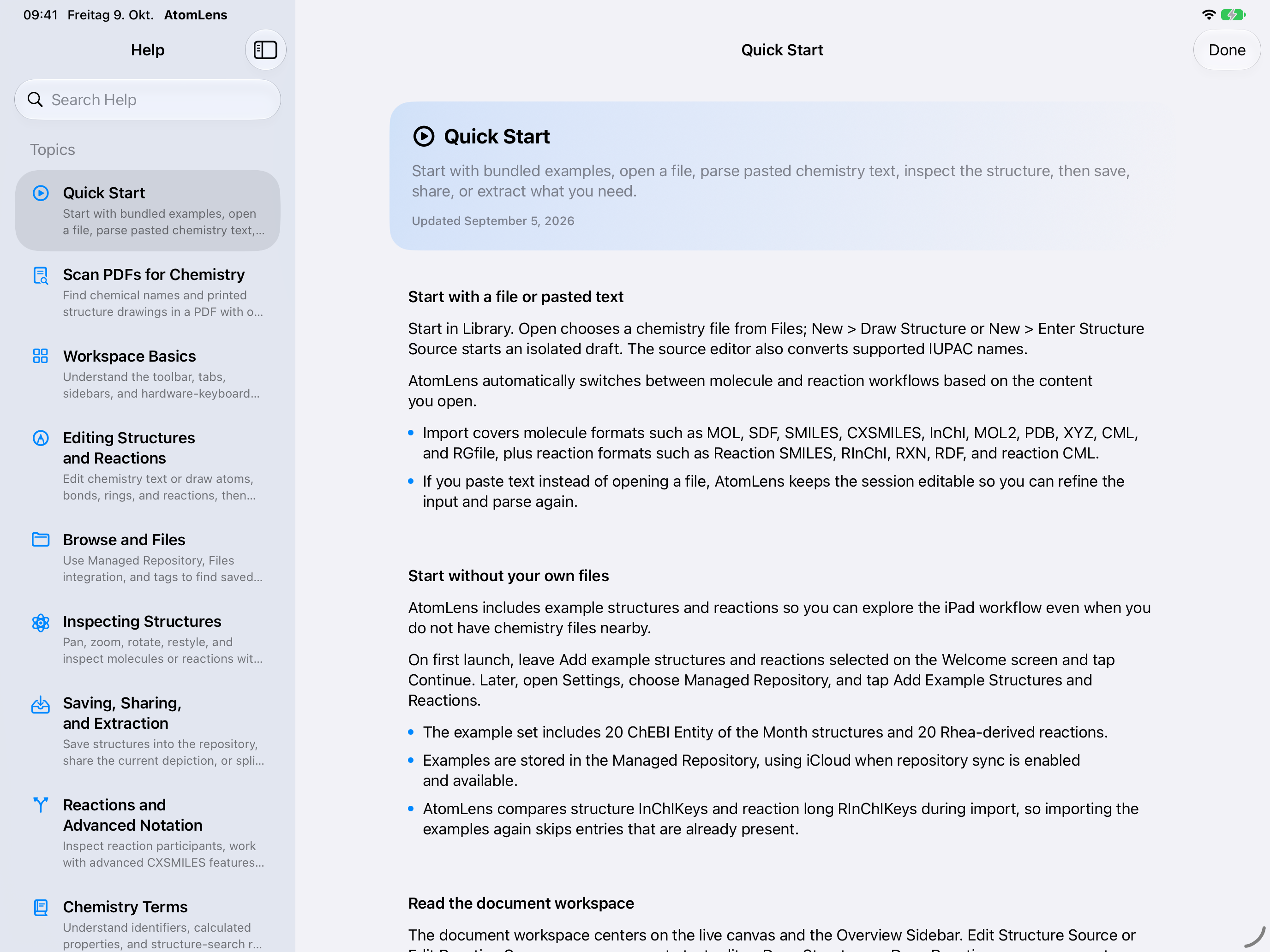
Screenshots use public sample data from EMBL-EBI ChEBI and Rhea under CC BY 4.0. PubChem results retain their source labels.
YOUR WORK. YOUR CHOICE.
Your documents don’t need a round trip to our servers.
AtomLens processes chemistry on your device, including document recognition. Keep your Managed Repository local, or enable iCloud to sync repository files and managed metadata through your Apple account.
Finder, Quick Look, and Spotlight bring chemistry into your Mac workflow. On iPad, Files integration and touch-oriented controls keep the experience native.
Read the AtomLens privacy policyMAKE YOURSELF AT HOME
Find practical workflows, format references, and guidance for working with chemistry files.
AtomLens HelpTry molecule and reaction files from the example collection.
Download example filesA question, a bug, or an idea for your workflow? I’d like to hear it.
Email SaschaA FEW USEFUL DETAILS
Yes. AtomLens 3.1 is available on the App Store for Mac and iPad. Screenshots retain their capture versions: 3.0 on October 9 and 3.1 on October 11, 2026. iPad images are native simulator captures.
Single-document find, open, property, and export actions work on macOS 26 and iPadOS 26 or later. Batch property/export actions, long-operation progress and cancellation, and enhanced saved-document context require OS 27. See the automation guide for formats, limits, and a worked example.
No. You can keep your Managed Repository local. If you enable repository sync, iCloud handles repository files and managed metadata through your Apple account. Saving a file locally and uploading it to iCloud are separate steps; sync depends on connectivity and available storage.
Yes. AtomLens works with common molecule and reaction formats including MOL, SDF, SMILES, InChI, PDB, CML, and RXN. The format guide explains supported formats and tools in more detail.
AtomLens uses CDKSwiftNativePort, a Swift-native toolkit derived from the Chemistry Development Kit. Its chemistry processing runs locally on Mac and iPad.
ATOMLENS 3.1 / AVAILABLE NOW
Start exploring chemistry on Mac and iPad with AtomLens 3.1.
Download AtomLens 3.1Opens AtomLens on the App Store.